
- CutGPT
- Compare
AI video editors for talking videos, compared
 CutGPTChecked
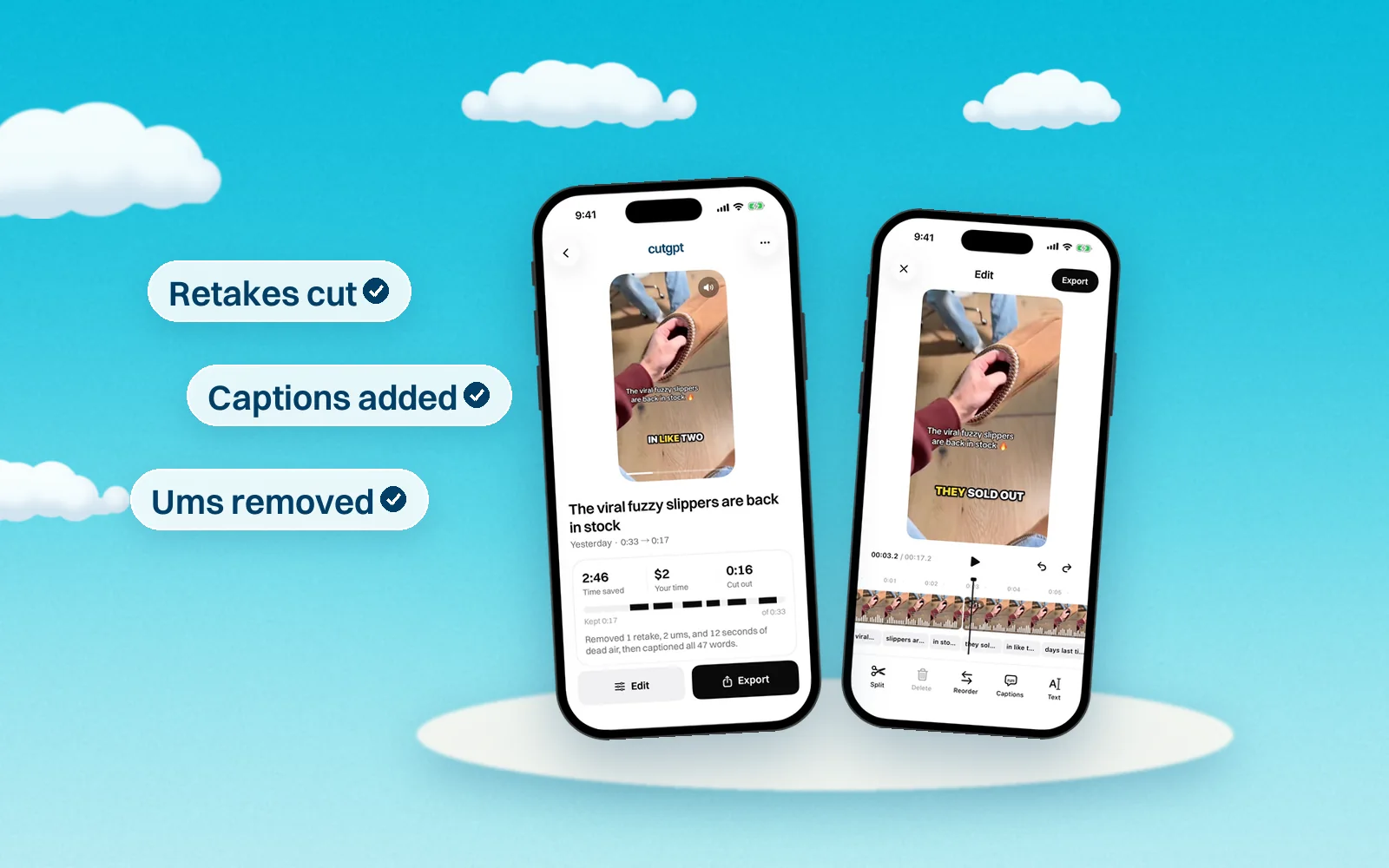
CutGPT does one job: it takes a talking video with your mistakes in it and hands back a tight, captioned cut, in your browser or on your iPhone. The editors below do more, and some of them are a better fit depending on what you make. Here's each one in a sentence, and what it costs as of October 14, 2026.
What each one does best
CutAI. CutAI is an iPhone app from CutAI LLC that edits your raw footage with AI after you upload it, cutting dead space, retakes and filler words, then opens the cut on a timeline. It suits creators who edit only on an iPhone and want timeline tools, overlap audio, scheduled batch edits and 4K exports on top of the automatic cut. CutGPT vs CutAI.
CapCut. CapCut is a full video editor for iPhone, Android, Windows, Mac and the web, with a multitrack timeline, effects, templates and AI tools such as auto captions. It suits people who want to build every part of an edit themselves, with keyframes, effects, music and templates, on a phone, a computer or the web. CutGPT vs CapCut.
Descript. Descript is a video and audio editor for Mac, Windows and the web where you edit by editing a transcript, with an AI co-editor called Underlord. It suits creators and teams who edit long recordings, interviews or podcasts by text, work in languages besides English, or want tools like Studio Sound, Eye Contact and dubbing. CutGPT vs Descript.
Submagic. Submagic is a web app for short-form video that adds styled captions in 123 languages, B-roll and zooms, and offers Magic Clips for turning long videos into shorts. It suits creators, businesses and teams who want styled captions, B-roll and zooms on lots of short videos, in many languages, and want to schedule posts from the same tool. CutGPT vs Submagic.
OpusClip. OpusClip is an AI clipping tool for the web, iPhone and Android that finds short clips in a long video, then captions and reframes them. It suits podcasters and creators with long videos who want many short clips, virality scores and scheduled posting to TikTok, Reels and YouTube Shorts. CutGPT vs OpusClip.
VEED. VEED is a browser-based video editor with AI tools, auto subtitles, translation and AI avatars, plus iPhone and Android apps that share the same projects. It suits creators and teams who want a full editor in the browser, with subtitles, translation, brand kits and AI-generated video in one shared workspace. CutGPT vs VEED.
Captions. Captions, made by Mirage, is an AI video editor and generator for iPhone, Android and the web, with one-tap AI edits, AI avatars, captions and dubbing. It suits creators who want AI to style a whole video with B-roll, zooms and music, or who want AI avatars, eye contact correction and dubbing. CutGPT vs Captions.
Which one should you pick?
| Editor | Best for | Price |
|---|---|---|
| CutGPT | You film talking videos for TikTok Shop or Reels and want the retakes, ums and pauses cut and captions added without editing yourself. | 3 edits free; Pro from $1 for 3 days, then $49.99/month or $99.99/year |
| CutAI | It suits creators who edit only on an iPhone and want timeline tools, overlap audio, scheduled batch edits and 4K exports on top of the automatic cut. | As of October 14, 2026, CutAI lists Starter at $19.99/month or $159.99/year (100 AI edits a month), Pro at $49.99/month or $399.99/year (300 AI edits a month) and Ultimate at $89.99/month or $719.99/year (unlimited AI edits), in USD. Every plan starts with a 3-day free trial that needs a card, and there's no free plan. |
| CapCut | It suits people who want to build every part of an edit themselves, with keyframes, effects, music and templates, on a phone, a computer or the web. | As of October 14, 2026, capcut.com lists a Free plan, Pro at USD 19.99/month or USD 179.99/year (1,200 AI credits a month), Ultra at USD 79/month or USD 900/year, and Teams from USD 12.49 per seat per month, and says displayed prices are for reference only. The US App Store also lists a Standard monthly subscription at $9.99. |
| Descript | It suits creators and teams who edit long recordings, interviews or podcasts by text, work in languages besides English, or want tools like Studio Sound, Eye Contact and dubbing. | As of October 14, 2026, Descript lists Free ($0), Hobbyist at $16/month billed annually or $24 month to month, Creator at $24 or $35, and Business at $50 or $65, per person, in USD. Enterprise pricing is custom. |
| Submagic | It suits creators, businesses and teams who want styled captions, B-roll and zooms on lots of short videos, in many languages, and want to schedule posts from the same tool. | As of October 14, 2026, Submagic lists Starter at $19/month ($12/month billed yearly), Pro at $39/month ($23/month yearly) and Business at $69/month ($41/month yearly), per member, in USD, plus a custom plan. Its help center lists Magic Clips as a $19/month add-on with 10 video uploads. |
| OpusClip | It suits podcasters and creators with long videos who want many short clips, virality scores and scheduled posting to TikTok, Reels and YouTube Shorts. | As of October 14, 2026, OpusClip lists Free ($0, 60 credits a month), Starter at $15/month (monthly only, 150 credits a month) and Pro at $29/month, or $14.50/month billed annually at $174 a year (300 credits a month), in USD. Business pricing is custom. |
| VEED | It suits creators and teams who want a full editor in the browser, with subtitles, translation, brand kits and AI-generated video in one shared workspace. | As of October 14, 2026, VEED lists Creator at $25/month or $147/year, Pro at $45/month or $265/year and Studio at $79/month or $465/year, per user, in USD; Enterprise is custom. Prices in VEED's iPhone app can differ. |
| Captions | It suits creators who want AI to style a whole video with B-roll, zooms and music, or who want AI avatars, eye contact correction and dubbing. | As of October 14, 2026, Captions lists Max at $24.99/month and Frontier at $69.99, $139.99 or $279.99/month (USD, iOS prices), and its help center lists Basic at $9.99/month and an Android-only Lite plan at $4.99/month. Yearly plans cost less than 12 months of monthly billing. |