
CutGPT vs Captions
 CutGPTChecked
Captions, made by Mirage, is an AI video editor and generator for iPhone, Android and the web, with one-tap AI edits, AI avatars, captions and dubbing. It suits creators who want AI to style a whole video with B-roll, zooms and music, or who want AI avatars, eye contact correction and dubbing.
CutGPT vs Captions at a glance
The Captions column comes from Captions's own pages as they stood on October 14, 2026. Where something isn't stated there, we say so.
| Feature | CutGPT | Captions |
|---|---|---|
| Made for | Talking-head videos for creators who sell on TikTok Shop and other short-form apps. | AI-edited and AI-generated videos, including AI avatars, for creators and businesses. |
| Platforms | A web app for desktop browsers (a recent Chrome or Edge is recommended; Safari needs version 26 or later) and an iPhone app. Edits don't sync between them. | iPhone, the web, and Android as Captions Lite, an app focused on manual editing. |
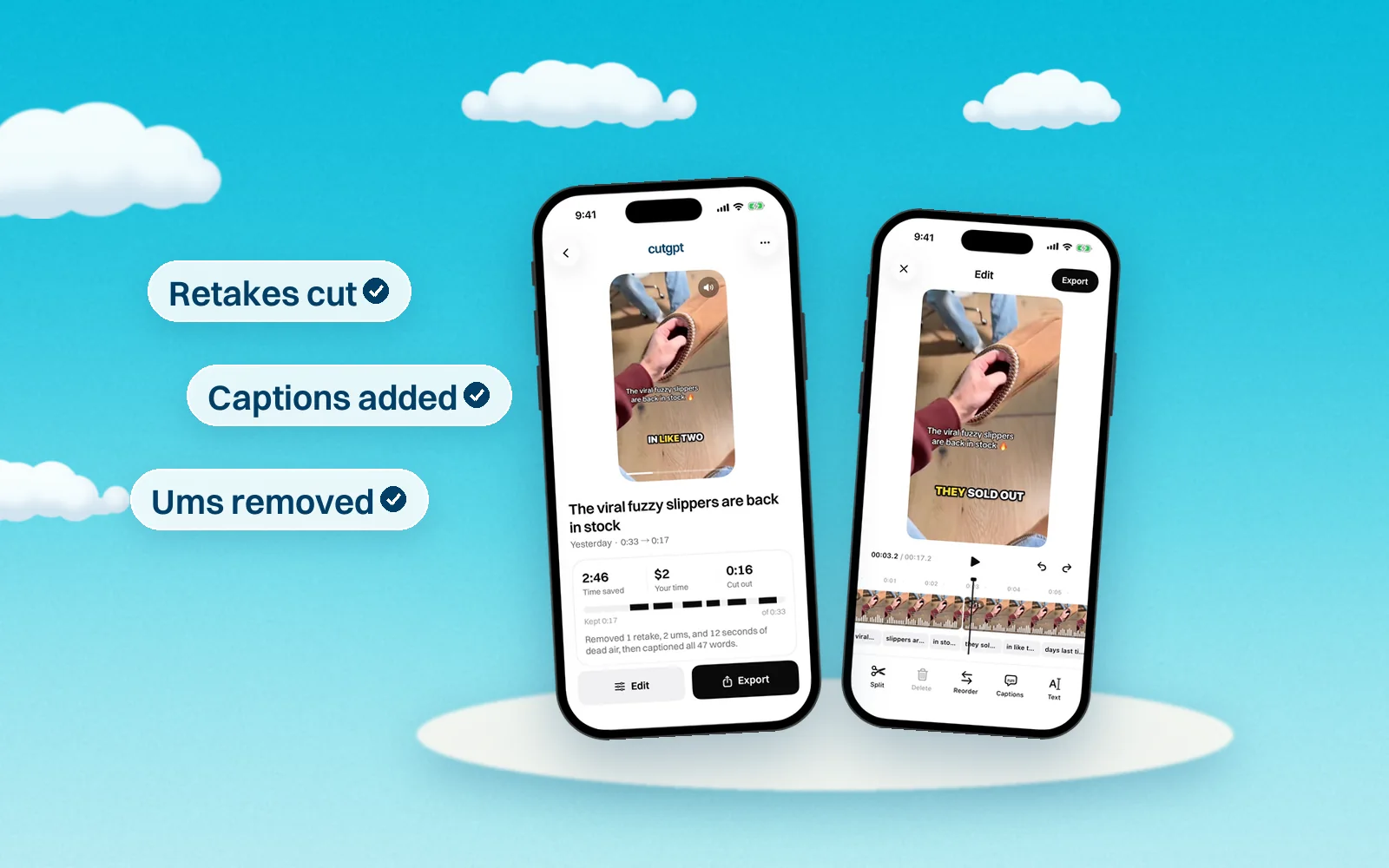
| Removes retakes automatically | Yes. If you say a line again within the next few phrases, CutGPT keeps the last take. Say “wait” or “let me start over”, and it cuts that and the attempt before it. | Not stated on their site. |
| Removes ums and pauses | Yes. It cuts fillers like um, uh, erm and hmm, and trims longer silences down to a breath. Choose a Snappy or Natural cut pace. | Yes. AI Trim removes pauses and “uhms”, and you review each segment before applying it. |
| Auto captions | Yes, in four styles: Pop, Karaoke, Boxed and Minimal. Up to 3 words per caption; you can move, resize and fix any word. | Yes, in 100+ languages. One caption template on Free, 100+ on Max and Frontier. |
| Manual editing | Web: a transcript editor and a timeline with a waveform. Click a word to cut it or bring it back, double-click to fix its caption, split, trim, delete and reorder clips, and undo any change. | A timeline for trimming shots, overlays and music, plus a chat-based editor on Max and Frontier. |
| Languages | English speech only on the web for now. | Captions in 100+ languages, plus AI translation and dubbing. |
| Where editing happens | Web: in your browser, on your computer. Your video is never uploaded. iPhone: transcribed on your iPhone with Apple's on-device speech recognition (Apple's servers only as a fallback), and edits stay on the phone. | Projects are stored on your device, and you upload your video to Captions to use AI editing. |
| Free plan | 3 edits, no card. On the web, free edits are counted per browser. | Basic editing, 1 caption template and 60–200 lifetime credits. AI Edit and other AI features need a paid plan. |
| Price | Web Pro is coming soon: $1 for 3 days, then $49.99/month, or $99.99/year (83% off a year of monthly). iPhone Pro is billed by Apple after a 3-day free trial. | Basic: $9.99/month. Max: $24.99/month (USD). |
What they cost
As of October 14, 2026, Captions lists Max at $24.99/month and Frontier at $69.99, $139.99 or $279.99/month (USD, iOS prices), and its help center lists Basic at $9.99/month and an Android-only Lite plan at $4.99/month. Yearly plans cost less than 12 months of monthly billing.
CutGPT: 3 edits free. Pro starts at $1 for 3 days, then $49.99/month, or $99.99/year paid yearly. In the iPhone app, Pro is billed by Apple.
Which one should you use?
Captions uses AI to style a whole video, adding B-roll, zooms, music and transitions, and it can generate footage with AI avatars. CutGPT works on your own take: it cuts out the mistakes and adds captions.
- Choose CutGPT if you want retakes, restarts and slates cut automatically along with the ums and pauses, and want the web app to keep your video on your computer.
- Choose Captions if you want AI Edit styles, an AI twin or AI actors, eye contact correction, dubbing, captions in 100+ languages, or an Android app.
How we keep this fair
We make CutGPT, so we've held this page to one rule: every claim about Captions comes from Captions's own site or a recent, named source, listed below. We don't quote reviews or guess at features. Products change often — if something here is out of date, email support@example.com and we'll fix it.
Questions
Sources
- Captions pricing and plan comparison
- Captions: features and FAQ
- Captions Help: Subscriptions & Plans
- Captions Help: Trim and cut videos
- Captions Help: Captions on the web
- Captions Help: Captions Lite for Android
- Mirage privacy policy (effective November 10, 2025)
- Captions: AI Edits Your Video on the App Store
Try CutGPT on your own take
Your first edits are free, right in your browser. Nothing is uploaded.